 MrGripper
The short answer
Pick SQUEGG if you want its sensor, games and guided squeezing in one purchase. Pick GripMeter if dynamometer analytics are the main event. Pick MrGripper if you want to log grip workouts and manual dynamometer tests with gear you already own.
All three track left and right hands, but their workflows are very different. One is a grip-training log. One is a dynamometer analytics app. One is a connected squeeze device with games. Picking the right one starts with deciding what you actually want to track.
Disclosure and method: This comparison is published by MrGripper and written by its independent developer, Rinalds Domanovs. Competitor claims come from desk research of current official App Store listings and vendor pages; DEXDIA GX and SQUEGG were not hands-on tested for this article. Competitor prices rechecked 2026-10-18. Prices, features, and availability can change by date and region.
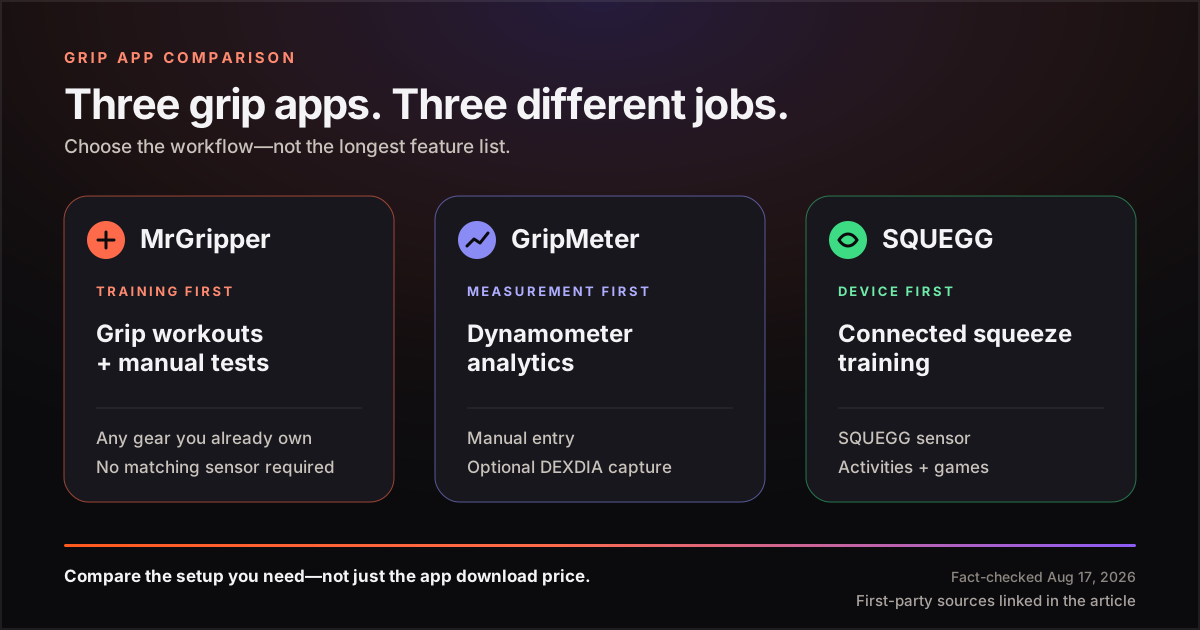
MrGripper vs GripMeter vs SQUEGG at a glance
In this comparison, hardware-free means the app remains useful without buying a matching Bluetooth sensor. It does not mean an iPhone can measure squeeze force on its own. To record force in kilograms or pounds, you still need a dynamometer; the difference is whether you enter a reading manually or use a connected device.
| Question | MrGripper | GripMeter | SQUEGG |
|---|---|---|---|
| Primary job | Log grip workouts, programs, PRs, and manual grip tests | Record and analyze dynamometer measurements | Assess and train grip or pinch with the SQUEGG device |
| Useful without matching hardware? | Yes—log reps, timed holds, equipment, and programs with gear you own | Yes—manually enter readings from another dynamometer | The consumer experience centers the SQUEGG sensor |
| Manual dynamometer entry | Yes—left, right, or both readings | Yes—the current listing supports manual input from other devices | No manual-input workflow is documented in the consumer materials reviewed |
| Automatic capture | Current materials document manual entry; automatic capture is not advertised | Documented for DEXDIA GX; version history also mentions compatible smart dynamometers | Yes—with the SQUEGG device |
| Left–right tracking | Per-hand workouts, grip tests, symmetry score, and trends | Left–right measurement analysis and demographic comparison | Separate left- and right-hand assessments and progress |
| Training beyond max-force tests | Guided workouts, reps, timed holds, rest timers, programs, and PRs | Measurement and analytics focus; workout programming is not advertised | Squeeze counts, activities, exercises, and games |
| App cost | Free; optional Pro at $4.99/month or $29.99/year | Free | Free companion app |
| Matching hardware price | None required | Optional; DEXDIA showed €399 in the EU and referenced $449 for a US order | Product page showed $129; its FAQ still said $109 US retail |
The fastest summary is this: MrGripper is training-first, GripMeter is measurement-first, and SQUEGG is device-first. None is the universal winner because each makes a different trade-off.
What is MrGripper built for?
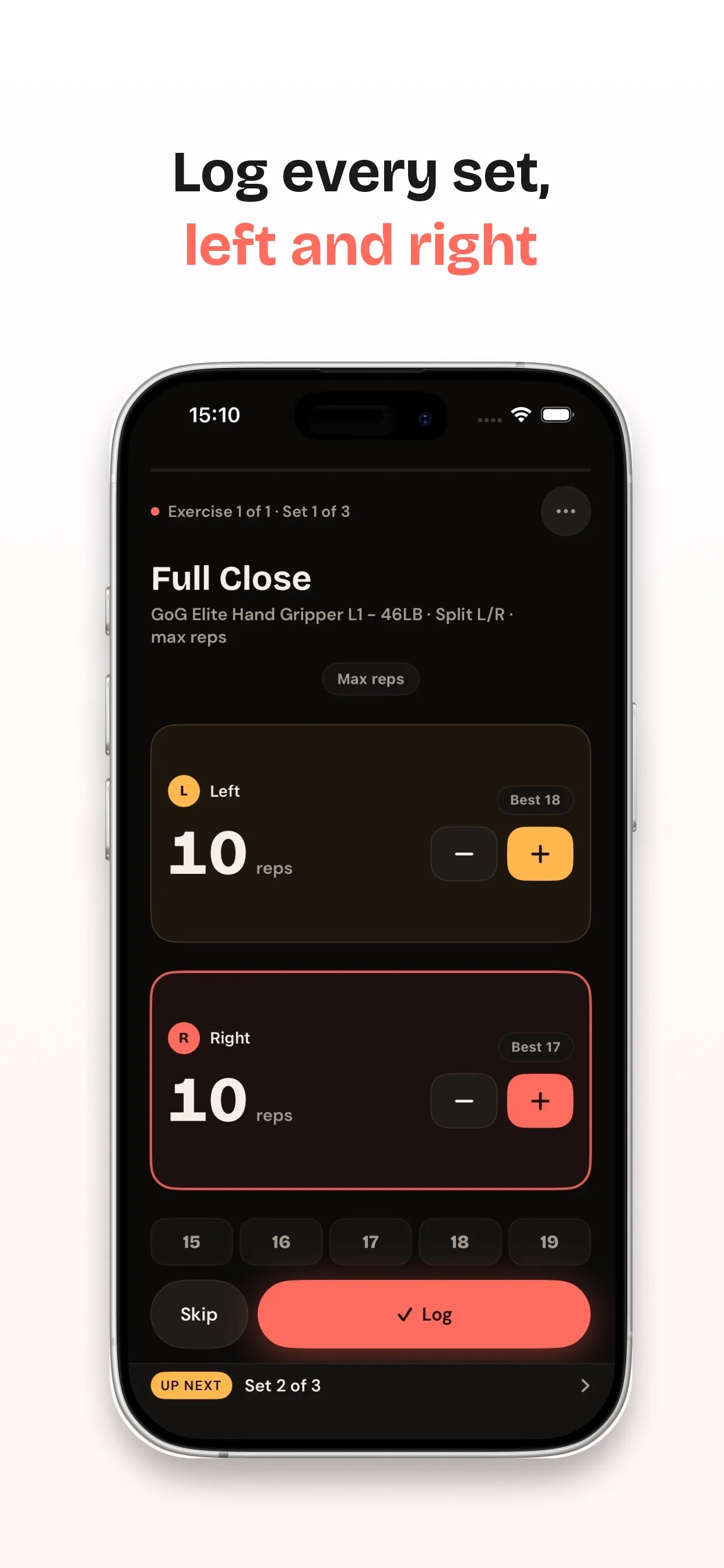
MrGripper is for people whose grip training includes more than a periodic dynamometer squeeze. The current MrGripper App Store listing covers per-hand workout logging, reps and timed holds, guided sessions, equipment, grip-test history, symmetry trends, and PRs tied to the exercise, equipment, load, and hand.
You can use it without a dynamometer: log gripper closes, hangs, pinch holds, carries, or other grip work with the gear you already own. If you do own a dynamometer, you type the displayed result into a dedicated left/right test flow. MrGripper’s current materials document manual entry and do not advertise Bluetooth pairing or automatic force capture.
The free tier includes unlimited workouts and custom exercises, up to 5 equipment items, per-hand tracking, dynamometer tests, 7- and 30-day trends, 30 days of history, and 3 programs. Pro adds longer trend windows and history, unlimited programs, equipment photos, per-equipment and per-load PRs, and CSV export.
Best fit: grip-sport athletes, climbers, grapplers, calisthenics athletes, and lifters who want one grip-specific training record across multiple tools.
What is GripMeter built for?
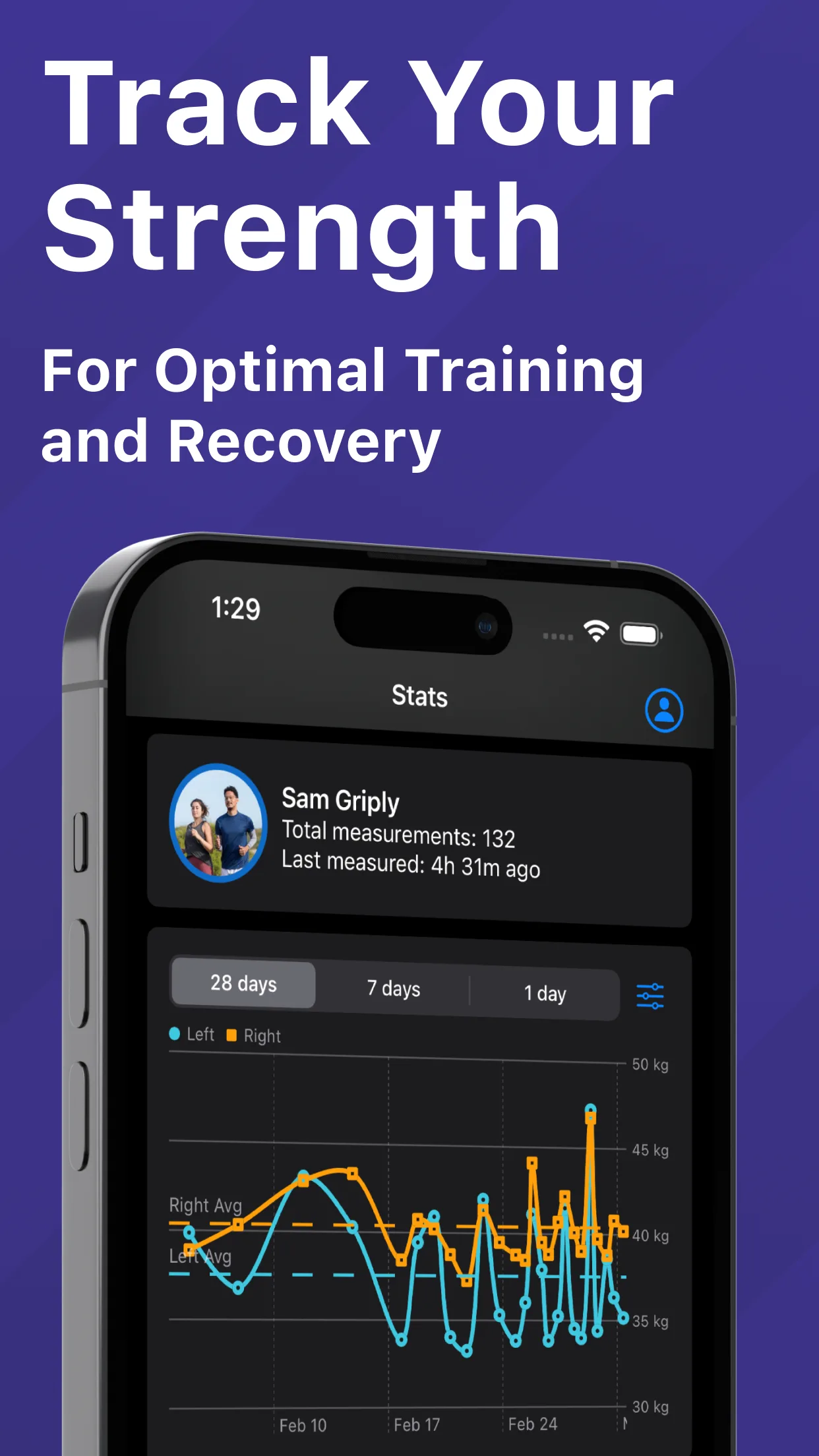
GripMeter focuses on dynamometer measurement and analysis. Its current App Store listing documents automatic capture from DEXDIA GX and manual entry from another device. Its version history also mentions connections to compatible smart dynamometers without naming a complete compatibility list. You do not have to buy a DEXDIA GX to use GripMeter.
Once measurements are stored, GripMeter compares results over time, separates left and right, shows averages, supports demographic percentile comparisons, and exports data to CSV. Its official listing presents it as a grip-strength tester and analytics tool. It does not advertise gripper- or hangboard-workout programming, timed-hold sessions, or an equipment-based grip-training log.
The optional DEXDIA GX changes the workflow rather than unlocking the app. Its automatic workflow records the full measurement curve, while manual entry records the number you type. The reviewed regional page showed €399, while a US-order example referenced $449. It also said the GX was temporarily out of stock when checked.
Best fit: someone who mainly wants repeatable dynamometer tests, demographic context, and measurement analytics.
What is SQUEGG built for?
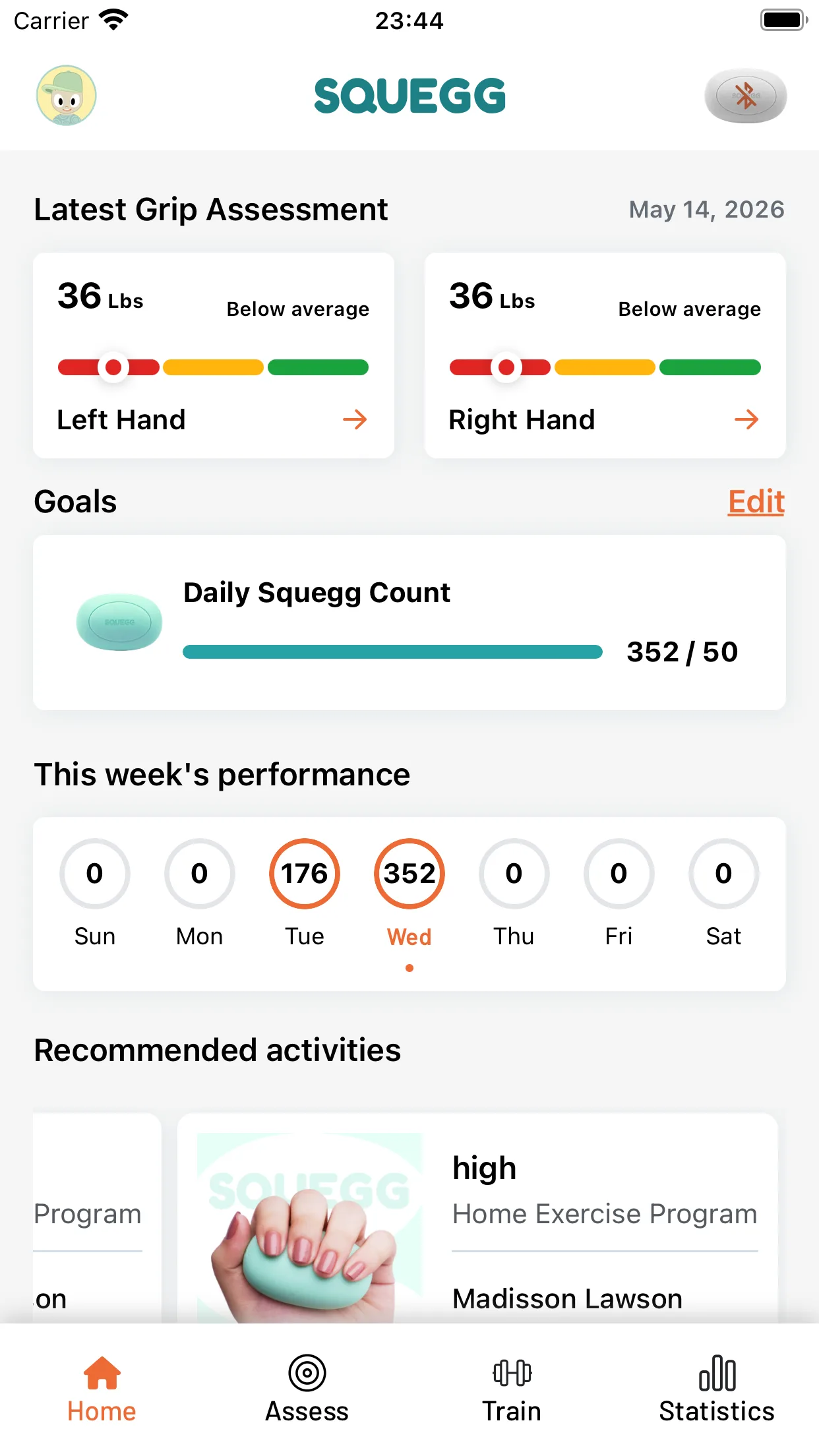
SQUEGG combines the sensor and exercise tool. The SQUEGG product is a Bluetooth dynamometer and hand exerciser with a soft squeeze form. Its companion app tracks grip and pinch assessments, left- and right-hand results, squeeze counts, goals, and progress. It also uses live sensor input for activities and games such as Blast Away, Whack an Egg, and Hotdog Maker.
That integration is the point. You squeeze the SQUEGG device and the app responds in real time. The reviewed consumer materials center SQUEGG’s own sensor and do not document a log for third-party grippers, hangboards, barbells, or dynamometers. Pricing was inconsistent: the product page showed $129, while the official FAQ still said $109 US retail. Check the live product page or checkout before buying.
SQUEGG also has a larger clinical ecosystem. Its official FAQ separates the free single-user Core app from SQUEGG Pro for clinicians managing multiple profiles, programs, and remote progress. This article compares the consumer setup, not the clinic subscription.
Best fit: someone who wants a compact sensor and interactive training experience in one purchase—especially if games and guided squeezing will make practice more consistent.
See the three workflows
What does the hardware really cost?
The app download price is only part of the decision.
- MrGripper: $0 to start. No matched device is required for workout tracking. A force test requires any dynamometer you choose, with readings entered manually. Pro is optional.
- GripMeter: $0 to start if you already have a dynamometer and use manual entry. DEXDIA’s regional page showed €399 in the EU and referenced $449 for a US order; the product page said it was temporarily out of stock when checked.
- SQUEGG: the app is free, but the consumer experience centers the SQUEGG sensor. Its product page showed $129, while its FAQ said $109 US retail.
This is not a simple cheap-versus-expensive ranking. The DEXDIA GX and SQUEGG are physical instruments, while MrGripper is software that works around equipment you select. Compare the full setup you need, not only the word free beside the app.
Which is the best grip strength app for your workflow?
Choose MrGripper if you train grip in several ways
Pick MrGripper when your week may include rated grippers, hangs, pinch work, carries, and periodic dynamometer tests. It is the only option in this group positioned as a grip-specific workout log with programs, equipment-aware PRs, timed holds, and per-hand set entry. Start here if training history matters more than automatic sensor capture.
Choose GripMeter if the dynamometer test is the main event
Pick GripMeter when your core workflow is measure, compare, and analyze. It offers manual input without forcing a hardware purchase, while automatic recording is explicitly documented for DEXDIA GX. Demographic percentiles and measurement analytics are more central than exercise programming.
Choose SQUEGG if you want the device and game loop together
Pick SQUEGG when a responsive squeeze sensor, daily counts, activities, and games are part of the appeal. It is the most integrated hardware-and-app experience here. Its reviewed consumer materials do not document equipment-agnostic logging for several third-party grip tools.
Is manual entry or Bluetooth capture better?
Bluetooth capture removes typing and can preserve more of a force measurement. Manual entry works across more dynamometers and avoids tying the log to one sensor. Choose automatic capture if you test often and need richer measurement data; choose manual entry if you test occasionally or already own a device you trust.
If you are still deciding what a repeatable grip test requires, start with how to test grip strength at home. If the main question is how far apart your hands should be, read the guide to grip-strength symmetry. For training rather than testing, use the grip-strength exercise and progression guide.
Is MrGripper a GripLog alternative?
It can be if you want a logger built specifically around grip. The current GripLog App Store listing describes a customizable calisthenics, street-workout, and strength tracker with skill trees, Apple Watch logging, templates, charts, and local data. MrGripper is narrower: its exercise flow, equipment, dynamometer tests, symmetry, and PR logic are designed around grip training.
Choose GripLog for a customizable calisthenics or street-workout log. Choose MrGripper when the identity of the hand, gripper, hangboard, load, hold time, and grip-test result need to stay connected in one record.
Frequently asked questions
Can GripMeter work without a DEXDIA GX?
Yes. The current official GripMeter listing says measurements from other dynamometers can be entered manually. DEXDIA GX adds automatic capture; it is not required for basic use.
Does MrGripper measure grip force through the iPhone?
No. You read the result from any dynamometer and enter it manually. Without a dynamometer, MrGripper can still track reps, timed holds, equipment, programs, and PRs, but it cannot turn the phone itself into a force sensor.
Does SQUEGG work without the SQUEGG device?
The app is free to download, but the consumer experience described by SQUEGG uses its device for assessments, squeeze counts, activities, and games. Treat the app and sensor as one setup when comparing cost and workflow.
Is there a SQUEGG alternative that doesn't need the SQUEGG sensor?
Yes. GripMeter accepts manual entry from another dynamometer. MrGripper logs manual left and right readings and grip workouts without a matching device. Neither app measures force by itself, so you still need a dynamometer for readings in kilograms or pounds.
Which app automatically records dynamometer readings?
GripMeter explicitly documents automatic recording from DEXDIA GX; its version history also mentions compatible smart-dynamometer connections without detailing whether every model captures identical data. SQUEGG streams input from its own sensor. MrGripper’s current materials document manual entry; automatic capture is not advertised.
The bottom line
The honest choice is not “Which app has the longest feature list?” It is “Which workflow matches my training?”
- MrGripper: broad grip training with your existing equipment, plus manual per-hand tests.
- GripMeter: dynamometer measurement, analytics, and optional automatic DEXDIA capture.
- SQUEGG: a connected squeeze device with assessments, activities, and games.
If your grip work extends beyond one sensor—grippers, hangs, pinch holds, carries, programs, and left–right progress—MrGripper is built to keep those numbers together.
Track your grip with the gear you already own
Log workouts, manual dynamometer tests, equipment, programs, and per-hand progress. MrGripper is free on the App Store.
Sources
- Grip Strength: MrGripper—App Store, accessed 17 August 2026.
- GripMeter Grip Strength Tester—App Store, accessed 17 August 2026.
- DEXDIA GripMeter apps and DEXDIA GX, accessed 17 August 2026.
- SQUEGG—App Store, accessed 17 August 2026.
- SQUEGG device and consumer features, accessed 17 August 2026.
- SQUEGG ecosystem FAQ, accessed 17 August 2026.
- GripLog: Calisthenics Tracker—App Store, accessed 17 August 2026.